
Skip to main content
How Can We Help?
Encryption Format
Today’s market has several tools that allow users to encrypt files using the PGP format.
How to get the Public Encryption Key
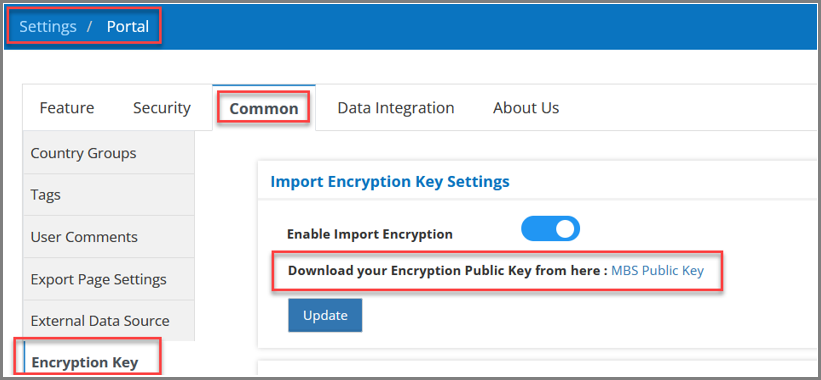
- Users can get the Public Encryption Key by navigating to the Settings > Portal > Common > Encryption Key and by clicking on the ‘MBS Public Key’. Users can also download the Public Encryption Key:
Adding your own PGP Encryption Key
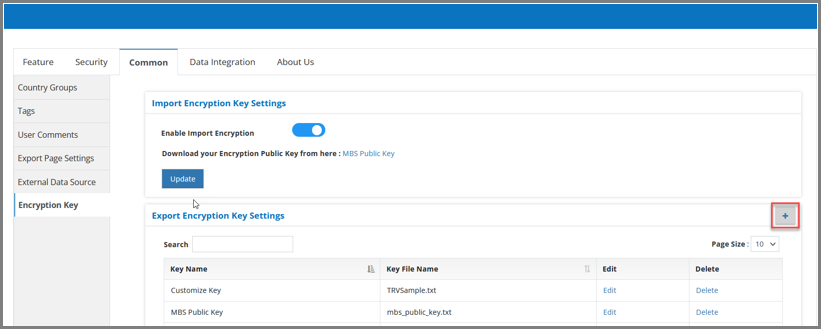
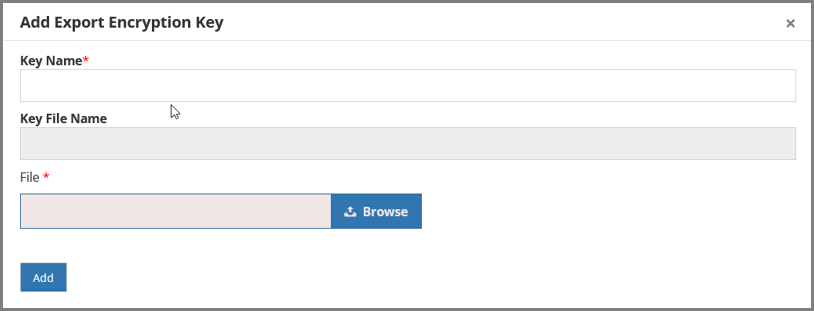
- Users can upload their own PGP encryption key from Settings > Portal > Common > Encryption Key page > click on “Add” (+) button and upload your PGP Encryption Key. Must provide a unique key name:
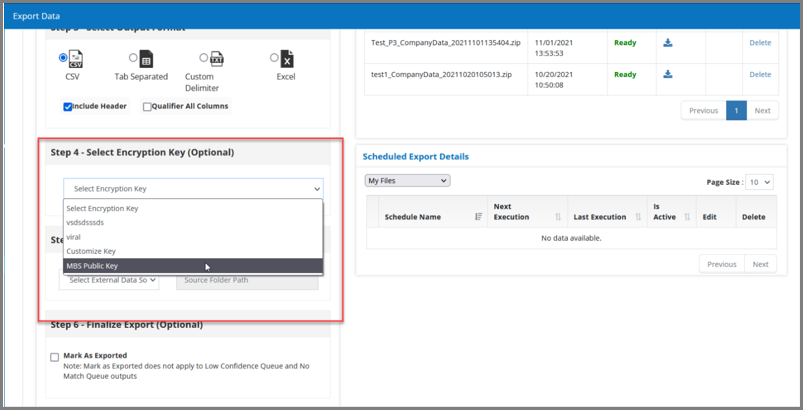
- This PGP key can be used at the time of Exporting any file:
How to Import an Encrypted File
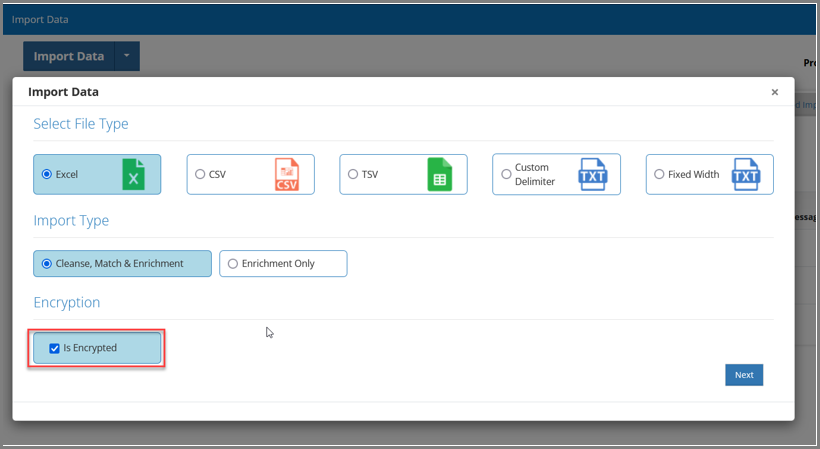
- To Import the Encrypted File, navigate to Import Data > Select Import Data > Choose File Type, Import Type, and select the “Is Encrypted” checkbox:
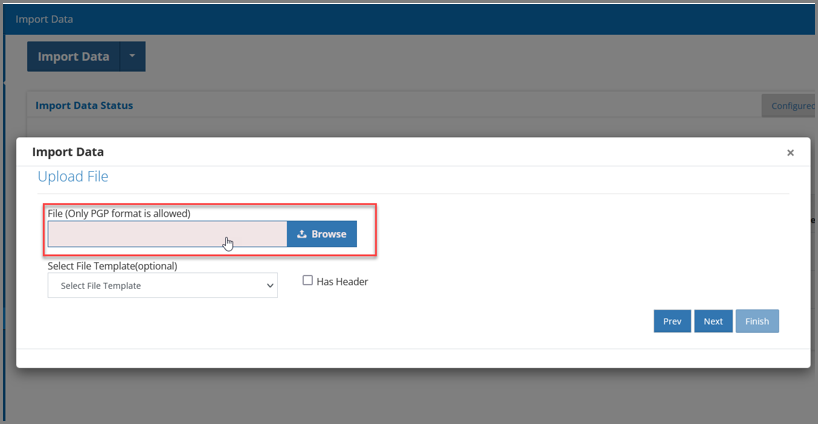
- In the resultant pop-up, upload the PGP formatted encrypted file and click on “Finish”. Encrypted File will be imported:
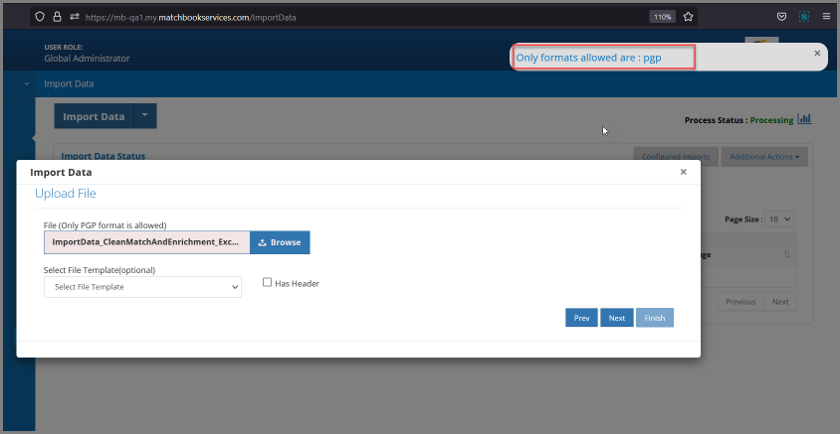
** Note: if the imported file is not in the PGP format, the user will receive a file validation error as below:
How to Export an Encrypted File
- To Export an Encrypted File, navigate to Export Data > Select Import Process (dropdown) > Select Import Process > choose the file which needs to be encrypted, select the appropriate Encryption Key, fill out any other necessary fields, and Export Data.
- This Encrypted File can be downloaded from Export Status and can be accessed once it is decoded using the same Encryption Key.